Wedding Ceremony: A Complete Vector Bundle for Elegant Design
Designing for the wedding industry requires a specific kind of visual language—one that balances elegance, romance, and clarity. Whether you're creating invitations for a client, building a brand identity for a wedding planner, or crafting social media graphics for a floral studio, the assets you choose define the final impression. The Wedding Ceremony and Wedding Ceremony Flat Bundle Design offers a comprehensive collection of vector graphics built specifically for these moments, giving designers and creatives a versatile toolkit that adapts to a wide range of projects.
What Makes This Bundle Visually Appealing
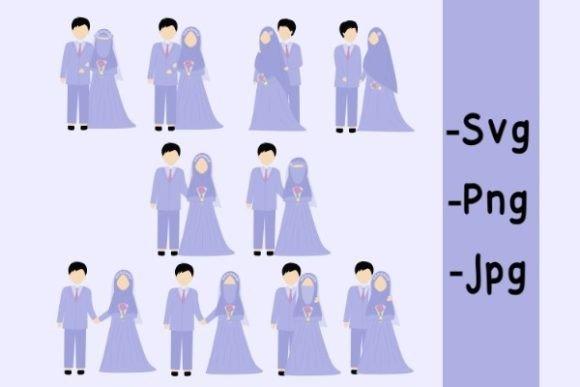
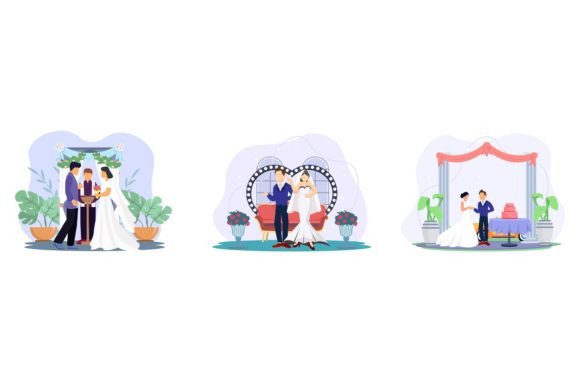
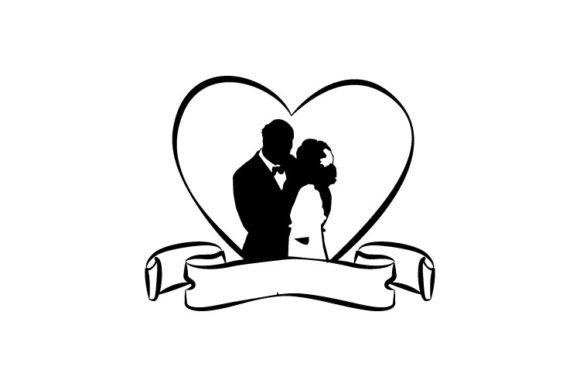
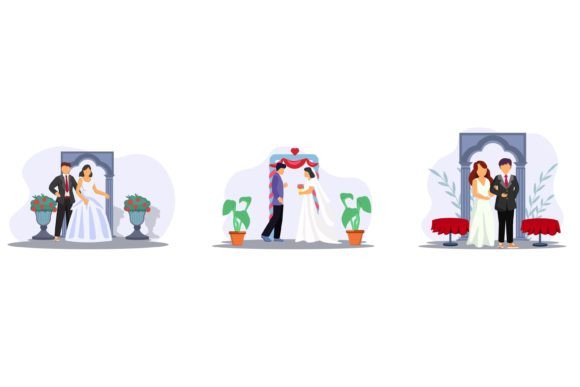
At its core, this collection leans into a flat design aesthetic—clean lines, solid shapes, and a modern illustration style that avoids unnecessary complexity. The graphics depict classic wedding elements: rings, bouquets, arches, cakes, champagne glasses, doves, and decorative flourishes. Each illustration is rendered in a simplified, stylized way that feels contemporary without losing the warmth and sentimentality associated with weddings.
The color palette stays within soft, romantic tones—think blush pinks, muted golds, ivory whites, and gentle greens. Because every object and color is editable, you're not locked into these choices. You can shift the palette to match a client's wedding theme, a brand's existing color system, or the mood of a specific marketing campaign. This flexibility is what separates a usable design asset from one that gathers digital dust in your files.
The flat style also means these graphics scale cleanly across formats. Whether you're placing a small icon on a website favicon or blowing up a bouquet illustration for a large-format poster, the vector format ensures crisp edges and consistent quality. No pixelation, no blurry lines—just clean, professional output every time.
Practical Applications Across Design Projects
The real value of a bundle like this shows up in how many different projects it can support. Here's where designers, entrepreneurs, and content creators tend to find the most use:
- Invitations and stationery: Wedding invitations, save-the-dates, RSVP cards, and envelope liners benefit directly from these illustrations. The flat style pairs well with both serif and script typography, giving you room to create formal or casual designs depending on the couple's personality.
- Branding and logo design: If you're building a brand identity for a wedding photographer, event planner, florist, or venue, these graphics can serve as supporting visual elements. A simplified ring icon or floral motif can anchor a logo system or add personality to a brand's secondary assets.
- Packaging design: Wedding favors, gift boxes, candle labels, and product packaging for wedding-related businesses all benefit from cohesive illustration. The editable colors let you match packaging to a client's brand guidelines without starting from scratch.
- Social media graphics: Instagram posts, Pinterest pins, Facebook covers, and story templates for wedding vendors need to look polished and on-brand. These vector elements drop easily into social media templates, helping you maintain visual consistency across platforms.
- Websites and blogs: Blog headers, featured images, sidebar graphics, and website icons for wedding blogs or vendor directories can all pull from this collection. The high-resolution files look sharp on retina displays and load efficiently when exported at appropriate sizes.
- Print materials: Flyers, brochures, magazine ads, catalog inserts, and trade show materials for wedding expos or bridal shows benefit from professional illustration. The well-organized file structure means you can find and deploy the right graphic quickly, even under tight deadlines.
- Merchandise and digital products: Tote bags, mugs, t-shirts, planners, and printable wall art designed for the wedding market can incorporate these illustrations. The vector format gives you the flexibility to recolor, resize, and reformat for different product types without quality loss.
- Editorial layouts: Magazine spreads, lookbooks, and editorial features about wedding trends or planning tips can use these graphics as decorative elements, section dividers, or thematic illustrations that tie the layout together.
How This Bundle Supports Better Design Outcomes
Working with a cohesive set of illustrations does more than save time—it improves the overall quality of your work. When every visual element shares the same style, weight, and color logic, the result feels intentional. That intentionality is what separates amateur-looking designs from professional ones.
Visual consistency becomes easier to maintain when you're pulling from a single, unified asset library. Instead of mixing illustration styles from different sources—which can make a project look disjointed—you get a set of graphics that were designed to work together. This matters especially in branding projects, where consistency across touchpoints builds trust and recognition.
Brand recognition improves when a business uses the same visual language across its website, social media, packaging, and print materials. For wedding vendors competing in a crowded market, a distinctive and cohesive visual identity can be the difference between being remembered and being overlooked. These illustrations give you the building blocks to create that identity efficiently.
Professional presentation is about more than aesthetics—it's about communicating competence. When a client hands over marketing materials that look polished and well-designed, it signals to their audience that they take their work seriously. Using high-quality vector assets instead of generic clip art or low-resolution images makes a tangible difference in how the final product is perceived.
Audience engagement often correlates with visual appeal. On platforms like Instagram and Pinterest, where wedding content thrives, posts with strong visual design consistently outperform those with weak or inconsistent graphics. Having a library of ready-to-use, editable illustrations makes it faster to produce content that stops the scroll.
Working With the Files: What to Expect
The bundle comes in VECTOR EPS format, which means every graphic is built from mathematical paths rather than pixels. This is the standard format for professional design work because it allows infinite scaling without quality degradation. You can open and edit these files in Adobe Illustrator, adjusting shapes, colors, and compositions to fit your specific needs.
A JPEG sample preview is included so you can quickly browse the collection before committing to edits. This is helpful when you're searching for the right illustration for a project—you can scan the previews, identify what you need, then open the corresponding vector file for customization.
The files use RGB color mode, which is optimized for digital and screen-based projects. If you're working on print materials, you'll want to convert the color mode to CMYK before sending files to a printer. This is a standard step in any print workflow, and the editable color system makes it straightforward.
Every object in the file is organized into well-structured layers and groups, so you're not digging through a jumbled mess of ungrouped paths. This organization saves significant time, especially when you're working on complex compositions with multiple elements.
Tips for Getting the Most Out of Your Design Assets
Before you start placing illustrations into your project, take a few minutes to review everything included in the bundle. Knowing what's available helps you make more intentional design decisions and prevents you from overlooking graphics that might work perfectly for a specific layout.
Match the illustration style to your project's tone. Flat, minimalist graphics work well for modern, clean branding. If your project calls for a more ornate or traditional feel, consider how you might adjust the illustrations—adding subtle textures, pairing them with decorative typography, or using them as accent elements rather than focal points.
Test font pairings carefully. Wedding-related design often combines script or handwritten fonts with clean sans serifs or classic serifs. When pairing these illustrations with typography, make sure the font style complements the illustration weight. A delicate script font might get lost next to a bold illustration, while a heavy display font could overwhelm a subtle graphic.
Consider readability at every size. An illustration that looks beautiful on a poster might become an indistinguishable blob when used as a small icon. Test your designs at the actual sizes they'll appear—on a business card, on a phone screen, on a printed label—to make sure every element remains clear and effective.
Respect licensing terms. If you're using these graphics for commercial projects—client work, products for sale, marketing materials for a business—make sure the license covers your intended use. Understanding the licensing upfront prevents headaches later and protects both you and your clients.
The Wedding Ceremony Flat Bundle gives you a focused, professional set of design assets built around one of the most visually rich industries out there. Whether you're a freelance designer juggling multiple wedding clients, a small business owner building your own brand, or a content creator producing wedding-related material, having a reliable library of editable vector illustrations makes the creative process faster, more consistent, and more professional.